

How To Disavow Backlinks (and When You Actually Should)

Listen to this article
Browser-native voice. No account required.
The Google disavow tool is the technical action you take when a backlink cannot be removed through publisher outreach. Disavowing signals Google to ignore the link in ranking calculations. It does not remove the link from the web. This guide covers when disavow helps, how to build the file correctly, how to upload it through Google Search Console, and what to expect after submission.
Disavow is one action inside the broader cleanup workflow. For the full workflow (audit, outreach, prevention), see the complete backlink cleanup guide.
What Does The Google Disavow Tool Actually Do?
The Google disavow tool is a Search Console feature that lets site owners submit a list of backlinks for Google to ignore in ranking calculations. The submission does not remove the link from the web, does not notify the linking publisher, and does not affect how other search engines treat the link. Google ingests the file within 24-72 hours and re-evaluates the affected rankings over the following 4-6 weeks.
What disavow does NOT do:
Remove the link from the linking page
Affect Bing, Yandex, or other search engines
Trigger a manual review of the site
Generate any confirmation or status notification
Reverse a manual action automatically (a reconsideration request is still required)
When Should You Disavow Backlinks?
Disavow when removal is impossible (publisher unreachable or hostile), when the link is part of a negative SEO attack, or when a manual action explicitly cites unnatural links. Disavow is the wrong action for low-DR-but-legitimate links, single forum or directory links, or links from sites that simply happen to be smaller than yours. Over-disavowing legitimate links suppresses rankings more than the original links would have.
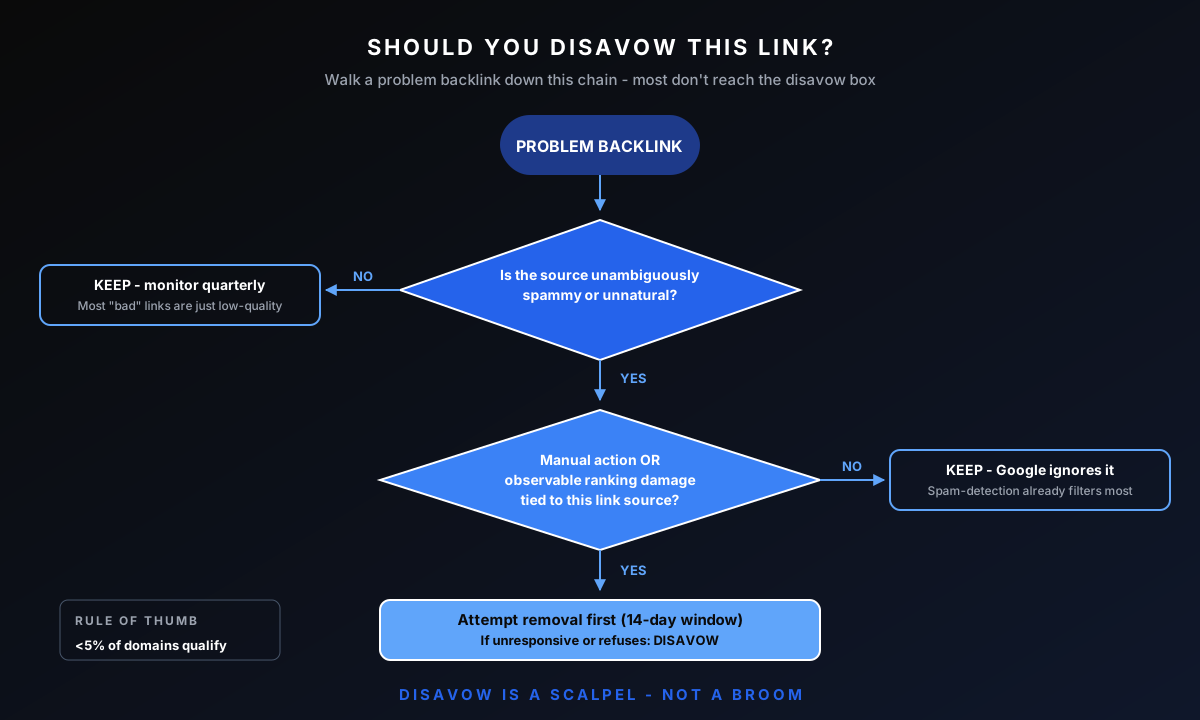
Decision criteria:
Manual action citing unnatural links: disavow + reconsideration request. Required.
Negative SEO attack: disavow at scale, skip outreach. Time-critical.
Algorithmic ranking drop with clear toxic-link pattern: disavow the pattern, monitor recovery.
Single low-trust link from one source: usually leave alone. Disavow patterns, not outliers.
Removal already attempted three times and ignored: disavow.
How Is Disavowing Different from Removing or Auditing?
Removing a backlink eliminates it from Google's index entirely through publisher action. Auditing identifies which links are toxic without acting. Disavowing tells Google to ignore a link in ranking calculations while leaving the link itself in place. The three actions sit in sequence inside the cleanup workflow: audit identifies, removal handles cooperative publishers, disavow handles the rest.
For the diagnostic step, see the backlink audit guide. For the full cleanup workflow including outreach, see the backlink cleanup guide. This guide covers only the disavow procedure.
What's The Correct Disavow File Format?
The Google disavow file is a plain text file, UTF-8 encoded, with one entry per line. Each entry is either a full URL or a domain-level rule prefixed with "domain:". Comments start with "#" and are ignored by Google. Maximum file size is 100,000 lines or 2 MB. Wrong encoding, mixed syntax, or non-UTF-8 characters cause Google to reject the entire file silently. The free disavow file generator builds the file in the format Google accepts, so a stray character cannot get the whole upload rejected.
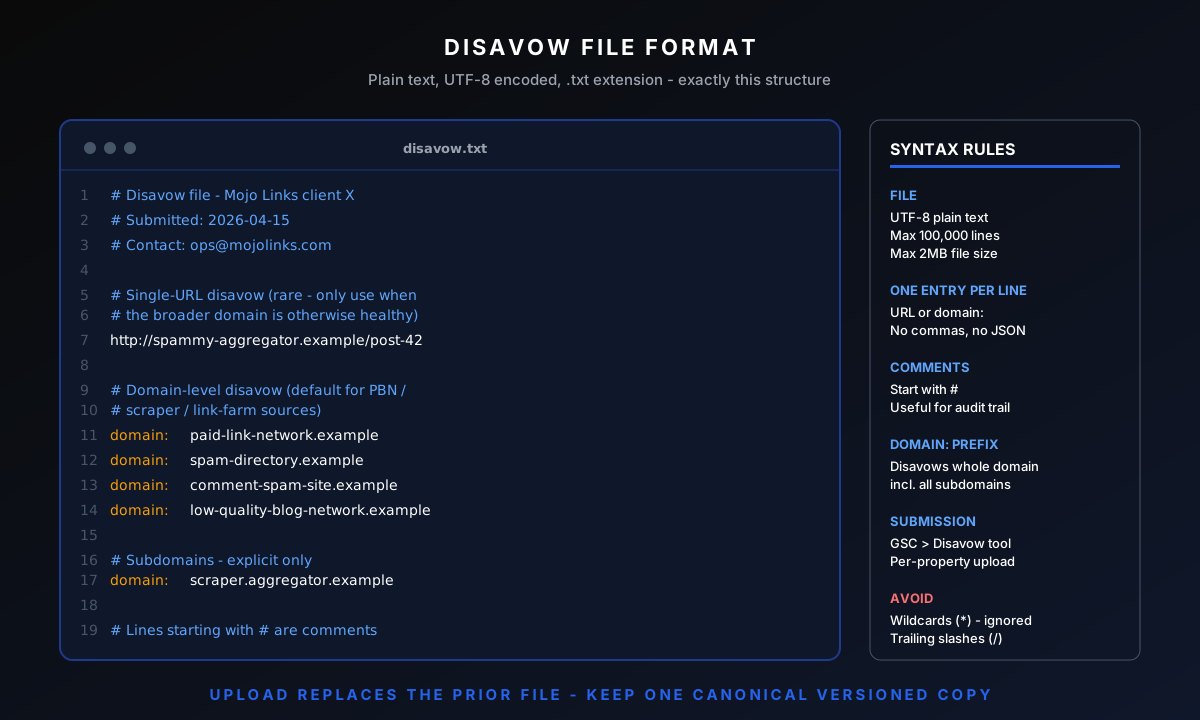
Domain-Level vs URL-Level Entries
Domain-level entries use the "domain:" prefix and disavow every link from that source. URL-level entries disavow only the specific URL. Use domain-level for entire networks or sources you want to block completely. Use URL-level for selective disavow on otherwise-legitimate sites.
Examples:
Domain-level: domain:spammy-site.example
URL-level: https://otherwise-good-site.example/specific-bad-page
Subdomain: domain:subdomain.example.com (disavows only that subdomain, not the root)
Comments and Section Organization
Comments use the "#" prefix and persist for your team's reference only. Google ignores them. Use comments to label sections (negative SEO attacks, paid-link cleanups, PBN footprints) so future maintenance is faster. Date-stamp each batch added to the file.
A Working Disavow File Example
Example structure:
# Disavow file for example.com
# Last updated: 2026-05-25
# Negative SEO attack - added 2026-04-12
domain:spam-network-1.example
domain:spam-network-2.example
# Paid-link PBN network - added 2026-02-08
domain:pbn-1.example
https://otherwise-clean.example/bought-link-page
How Do You Upload a Disavow File To Google Search Console?
Upload the disavow file by navigating to the Google Disavow Tool inside Search Console, selecting the correct property, and uploading the .txt file. The tool replaces any previous disavow file in full - uploading a new file does not append. Always upload the complete updated file, not just the new entries.
Upload procedure:
Navigate to the Google Disavow Tool (search "Google disavow tool" while logged into Search Console)
Select the verified property the disavow applies to
Upload the .txt file (UTF-8 encoded, plain text)
Confirm the upload - Google replaces any previous file
Wait 24-72 hours for ingestion
What Happens After You Submit a Disavow File?
Google processes the disavow file silently within 24-72 hours. No confirmation email is sent. The only verification available is downloading the current file from the disavow tool and confirming the content matches what was uploaded. Ranking re-evaluation begins after ingestion and completes over 4-6 weeks.
What to watch:
Search Console: the disavow tool shows the date of last submission. Use it to confirm upload.
Ranking changes: tracked at the keyword level over the 4-6 week post-ingestion window. Recovery is gradual, not instant.
Referring domain count: does not change. Disavowed links still appear in Ahrefs and Search Console reports. Google just ignores them in calculations.
When Should You Request Reconsideration After Disavowing?
A reconsideration request is required only after a manual action notification in Search Console. For algorithmic ranking drops, reconsideration is the wrong action - Google does not manually review algorithmic decisions. Submitting reconsideration without a manual action creates no benefit and signals confusion to the review team.
Reconsideration request structure:
Acknowledge the manual action explicitly. Reference the exact citation Google provided.
Describe the cleanup work performed. Number of links removed, number of disavow entries, date range.
Attach the disavow file. Or link to it. Google reviewers reference it.
Commit to preventing recurrence. Mention monitoring and link-vetting discipline.
Do not argue with the manual action. Acknowledge, document, prevent.
What Are The Most Common Disavow File Mistakes?
The most common disavow mistakes are: mixing "domain:" prefix with full URLs incorrectly, uploading in the wrong encoding (anything other than UTF-8), appending new entries to old files instead of uploading the complete file, disavowing legitimate links from low-DR sources, and forgetting to update the file when new threats appear.
Most sites do not need a disavow file. Google's spam systems handle the bulk of low-quality link signals algorithmically, neutralizing unnatural links across the web. Disavow is for the narrow case where a manual action specifies links to remove.
Five mistakes that void disavow effectiveness:
Wrong file encoding. UTF-16 or ANSI files cause silent rejection. Confirm UTF-8 before upload.
"domain:" prefix on a full URL. "domain:https://example.com/page" is invalid syntax. Use either "domain:example.com" OR "https://example.com/page".
Partial uploads. New uploads REPLACE the previous file. Always upload the complete current state.
Over-disavowing low-trust legitimate links. A small site is not the same as a spam site. Disavow patterns, not size.
Stale disavow files. A file from 2024 does not address 2026 threats. Quarterly maintenance is required.
How Long Does It Take To Recover After Disavowing?
Recovery after disavowing runs 4-6 weeks for algorithmic devaluation and 3-6 months after a manual action. The 24-72 hour Google ingestion window precedes the recovery cycle. Manual actions add 4-8 weeks of reconsideration review on top of the algorithmic timeline. Sites that do not recover within these windows either had non-link causes for the ranking drop or have algorithmic suppression baked in past the recovery threshold.
Recovery milestones:
24-72 hours: Google ingests the disavow file. No visible ranking change yet.
Week 2-3: First algorithmic re-evaluation. Partial ranking movement on affected keywords.
Week 4-6: Full algorithmic re-evaluation complete. Most recovery has materialized.
Month 3-6 (manual action only): Reconsideration approved, full ranking recovery if cleanup was sufficient.
Frequently Asked Questions About Disavow
Does Disavowing Instantly Improve Rankings?
No. Disavow ingestion takes 24-72 hours, then 4-6 weeks for algorithmic re-evaluation. If the ranking drop was caused by links, recovery begins after re-evaluation. If the drop had another cause, disavowing changes nothing.
Can You Disavow Links You Can't See in Search Console?
Yes. The disavow file accepts any URL or domain entry, regardless of whether Google has listed it in Search Console. Ahrefs, Majestic, and other tools often surface backlinks Google has not exposed in Search Console. Add them by domain or URL.
Do Disavow Files Expire?
No. Disavow files persist until you upload a new file (which replaces the previous) or explicitly clear the file. Quarterly maintenance is recommended to add new threats, not because the file expires.
Can You Remove a Disavow File Later?
Yes. The disavow tool allows you to download the current file, upload an empty file to clear it, or upload a modified file to update entries. Removing the file restores ranking signal from previously-disavowed links. Only clear the file if the original disavow was wrong.
Do Nofollow Links Need To Be Disavowed?
Usually no. Google already discounts nofollow links by default. Disavowing nofollow links from clean publishers is unnecessary. Disavow nofollow links only when they sit inside a clear spam pattern or PBN footprint that Google may still associate with the site.
Disavow is a remediation tool inside the broader link-building program. For the end-to-end program this fits into, see the full operations guide.
Need Help with a Recovery Situation?
Mojo Links handles backlink cleanup and Google penalty recovery for sites in regulated and competitive verticals. For a free 20-minute audit covering current link risk and recovery path, request a request a growth audit or see the Google penalty recovery service for engagement details.

About Bart Magera
Bart Magera is the founder of Mojo Links. Ten years across YMYL verticals (legal, medical, finance, supplements, crypto, gambling). Trained under Koray Tuğberk Gübür's Topical Authority framework. Author of two SEO books and international speaker.
Want this kind of analysis on your site?
Get a free video walkthrough within 48 hours covering technical health, backlinks, content gaps, and AI visibility.
Related posts
Keep reading on adjacent topics.
- Link Building
 Bart Magera10 min read
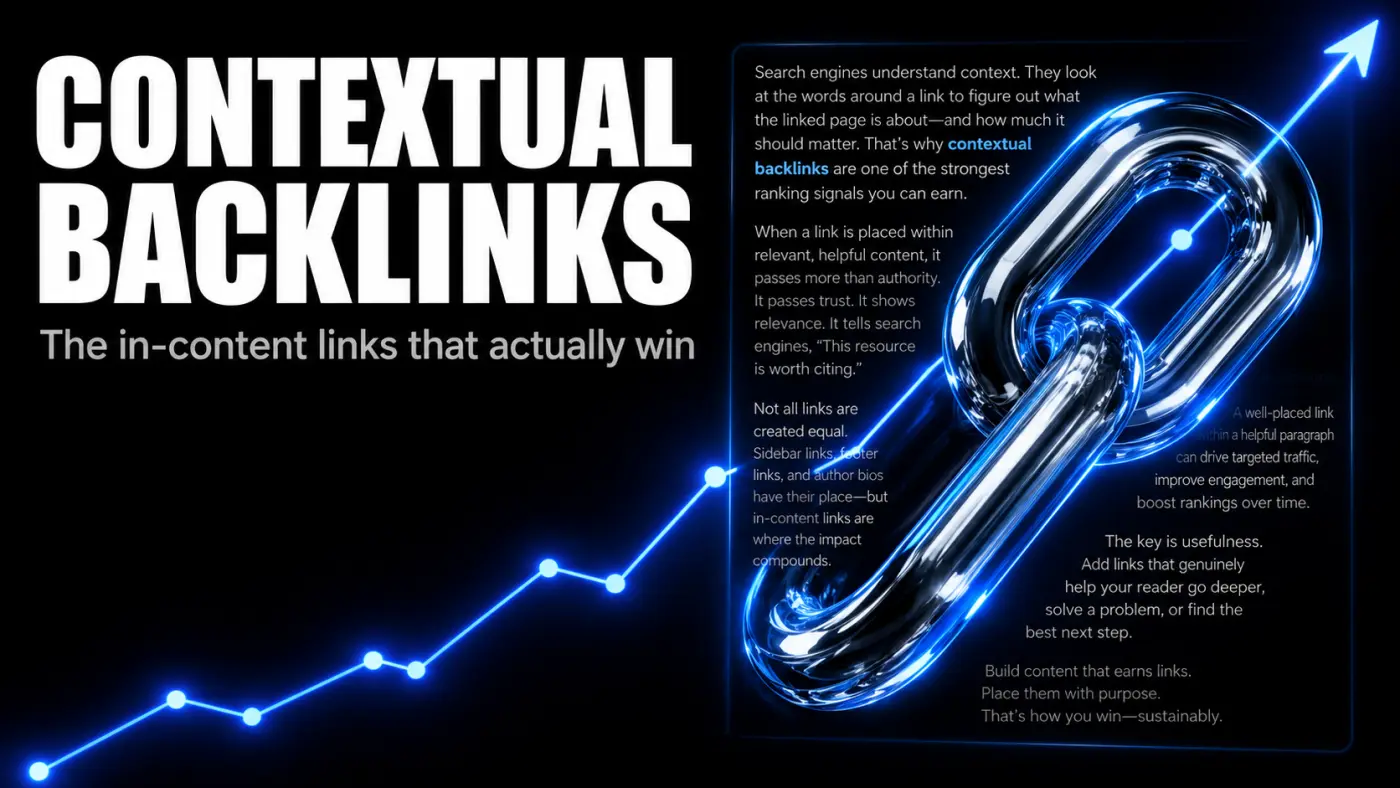
Contextual Backlinks: What They Are, Why They Win, and How To Earn Them
A contextual backlink sits inside the body of an article, surrounded by relevant text, not in a footer or author bio. That placement is what gives it weight. Here is what contextual backlinks are, what makes one high quality, how to earn them, and how to spot the cheap fakes.
- Link Building
 Bart Magera12 min read
What Is White Hat Link Building? Techniques That Work in 2026
The Problem: Why Most Link Building Fails Your SEO You wrote great content. It’s relevant. It’s useful. It even has infographics. But guess what? Crickets. Nobody’s linking. Google’s not ranking. And your “ultimate guide” is buried somewhere on page 7 under a recipe blog and a…
- Link Building
 Bart Magera10 min read
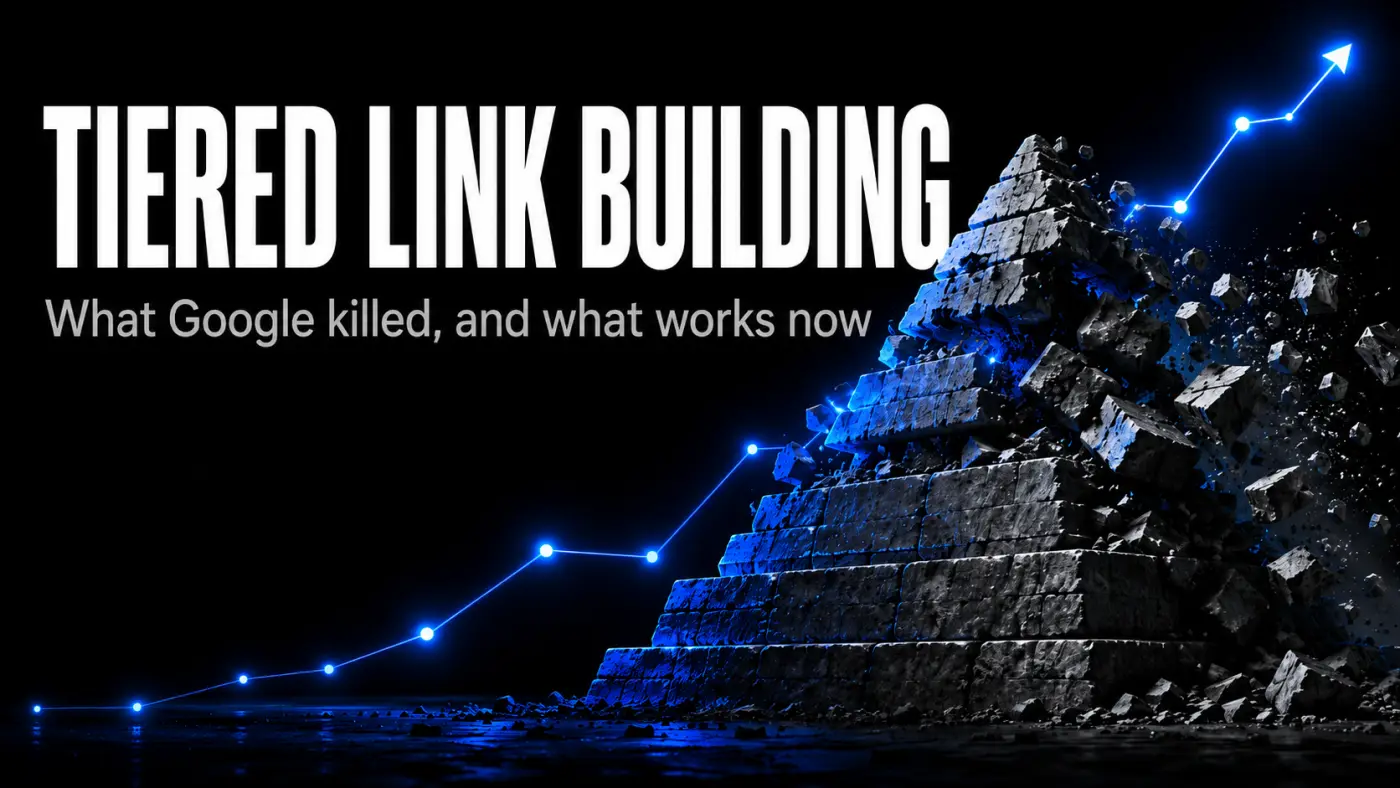
Tiered Link Building: How It Works and How To Do It Safely
Tiered link building layers weaker links behind your strongest ones to pass more authority to your money pages. Here is how the pyramid works, how to build one, which links are worth tiering, the risk SpamBrain introduced, and the lower-risk path I use on client sites.